
Create
Set up the details for your next event and give families a clear place to begin.
Explore createEvent management for PTAs
From a school disco to the Christmas fair, give your PTA one place to organise the event, help families find it and bring the figures together.
Starter is FREE, with a small fixed-percentage platform fee that you can pass on to families, so there is no charge to your PTA.

One event. A clearer journey.
PTA Events helps PTAs organise school events and fundraisers. Create your event, choose how it appears on your site, notify eligible customers and link receipts and payments in Finances.
Set up the details for your next event and give families a clear place to begin.
Explore createPut one priority event at the top of the listing, or make an event your homepage.
Explore highlightTell eligible customers about your event by email, with a link back to its details.
Explore notifyLink income and costs in Finances to build a clearer picture of your event.
Explore reviewStart from a template
Choose Add Event from Template and pick the kind of event you are running. The template creates the event, its tickets or products, booking questions and volunteer roles for you, ready to edit.
Templates include a disco, a fireworks or bonfire night with food options, a Santa’s grotto with timed slots, a summer or winter ball with menu choices, a movie night, a prize draw and a sponsored fundraiser. You can also ask for sample events when you register, so your new site is never empty.
Help people find what matters
Move a priority event to the top of Events & Tickets. Return to date order when it is time to give something else the spotlight.
How event promotion worksSet an event as your site’s homepage when you want visitors to arrive directly at that event. Useful when one fundraiser is your main focus.
How to set an event homepage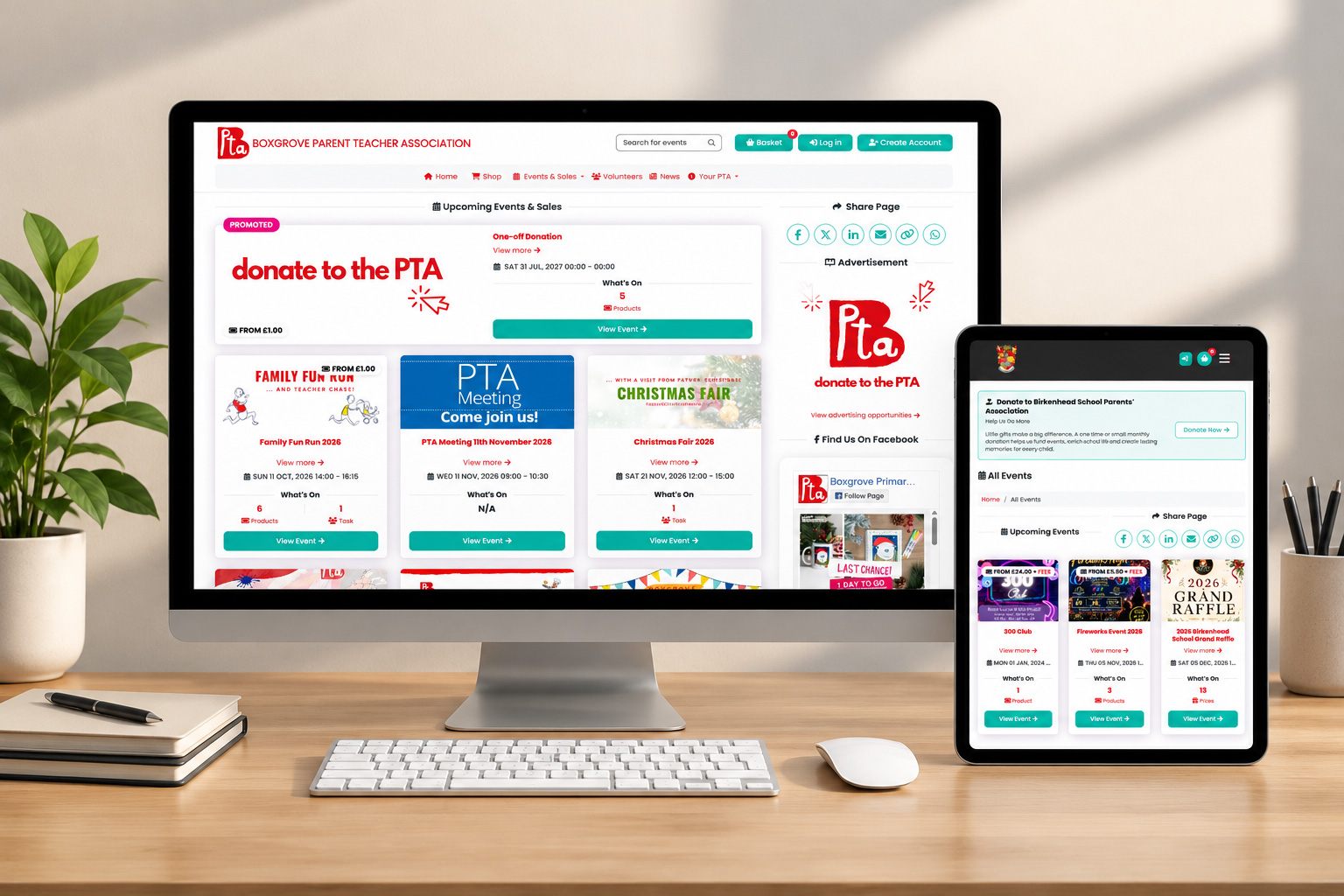
Let your community know
Send an event announcement to customers who have marketing emails enabled and have not unsubscribed.
The notification carries the event name, date, time, description and a direct link, giving recipients a route to the details and booking.
These send the same notification. Avoid sending duplicate announcements.
A clearer choice for every booking
Running separate disco times for different year groups? Create a separate event for each time, then assign the relevant classes to its ticket products. Families can select only those assigned classes at checkout.
Add your classes first. You can copy an event and update its timings and class selections. Class choices at checkout are not identity verification.
The picture depends on complete, correctly linked records.
After the last guest leaves
Stall supplies, decorations and other fair costs belong alongside the event’s income.
In Finances, associate receipts and payments with the relevant event. Search and filter by its name to review linked records and export them for your committee.
Finances is included free with every site and needs nothing switched on. This links event records; it does not create an event budget or move money.
Keep the next step simple
Explore the rest of the platform and choose the tools that fit your organisation.
No hidden fees. No forced tips. Starter is FREE, with a small fixed-percentage platform fee that you can pass on to families, so there is no charge to your PTA.
Useful answers
No. Add Event from Template creates the event, its products, booking questions and volunteer roles for common events such as a disco, fireworks night, grotto, ball, movie night or prize draw. Edit anything afterwards, or copy an existing event and change the details.
Yes. Every event has a calendar export (.ics) link, and a QR code you can put on posters and newsletters that takes people straight to the event page.
Promote one event to the top of your Events & Tickets listing. Demote it when you want to return the listing to date order.
No. Promotion changes its position in the listing. Setting an event as the homepage changes the page visitors see first on your organisation’s site.
Customers with marketing emails enabled who have not unsubscribed. The email includes event details and a link to the event; it is not automatically sent to every buyer or website visitor.
Choose it while creating an event, including from a template, or trigger it later from the event management menu. The later option sends the same notification, so avoid duplicate announcements.
Yes. Add classes, create separate events for different times and assign the relevant classes to each product. Only those class options appear at checkout.
Yes. Select the event when recording or editing a transaction in Finances. The treasurer can also link an expense claim during approval.
In Finances, search Transactions for the event name and filter the results. Review the linked receipts and payments, with totals and Copy, Excel or PDF export options.
Card takings posted from payouts link to the event where the tickets or products were sold. Link your costs and record any other relevant income so the figures are complete.
Finances is on for every organisation, so it is a question of roles: the menu shows for administrators and anyone with the Finance role. Ask an administrator to give your account the Finance role under Admin, Roles.
Starter is FREE, with a small fixed-percentage platform fee that you can pass on to families, so there is no charge to your PTA. Stripe's payment processing is charged separately. See the pricing page for current plans, rates and optional extras.
Bring your event organisation together with PTA Events.
Register freeStarter is FREE, with a small fixed-percentage platform fee that you can pass on to families, so there is no charge to your PTA.